"If someone can steal your private key, yes, they can now impersonate your SSL server."
I don't understand this comment. If they steal your private key, they can impersonate the client and do everything the client can do. I don't understand the "impersonate the SSL server".
If they steal the public key, then they can impersonate the server.
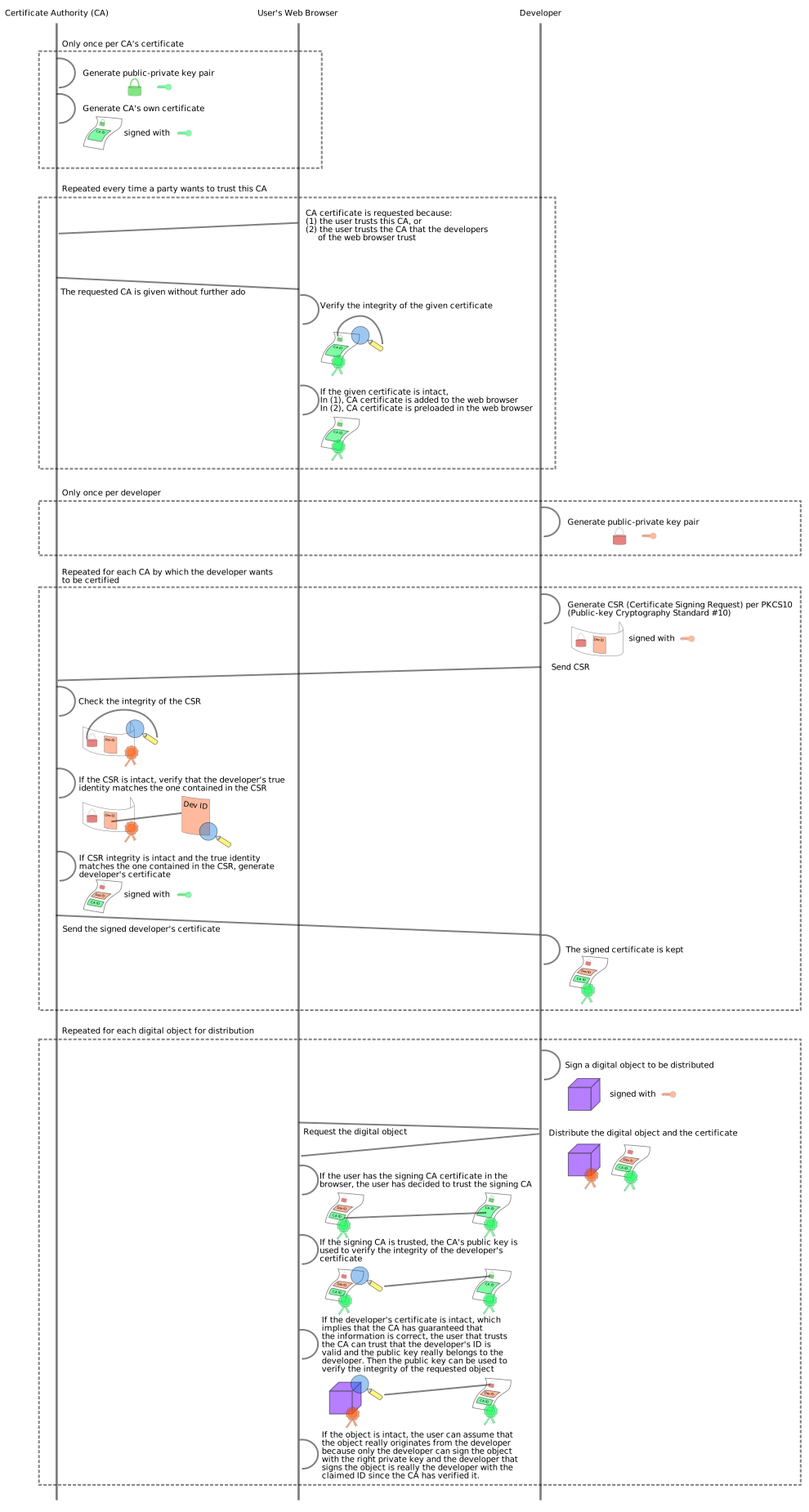
Not an expert, but I'll attempt an answer: "your private key" refers to the server's key. The public key is already available. What gives a connection the lock icon is the verification of the public key by verifying signatures to recognize that the correct private key was used. In this diagram, the private key we refer to is the red key symbol on the far right: http://upload.wikimedia.org/wikipedia/commons/9/96/Usage-of-... In this diagram, ignoring TLS for the moment, what we care about is the purple box. That represents the kind of verification we have of a server's web traffic -- the purple box is the response from the server. The public key is shared and anyone can get a copy by asking, that's how they know where the certificate came from -- that it came from a valid CA -- the problem is that if anyone can get access to the red key (or the green key from earlier), they can impersonate a certificate because to the encryption, they are valid, the signatures match. It's like someone stealing your password or PIN code. The private key just happens to be much longer than that.


I don't understand this comment. If they steal your private key, they can impersonate the client and do everything the client can do. I don't understand the "impersonate the SSL server".
If they steal the public key, then they can impersonate the server.